I previously blogged about using the IBM Bluemix Secure Gateway Service as follows
http://theblasfrompas.blogspot.com.au/2015/11/ibm-bluemix-secure-gateway-service-step.html
I decided I would extend on this and Connect a Spring Boot Application to Oracle and consume Oracle data using the Secure Gateway Service.
The full demo is as follows
https://dl.dropboxusercontent.com/u/15829935/bluemix-docs/secure-gateway-oracle/index.html
Friday, 20 November 2015


Wednesday, 18 November 2015
IBM Bluemix Secure Gateway Service Step by Step Demo
I created this simple step by step guide on how to use the IBM Secure Gateway Service. Very simple demo which shows how easy it is to set this up and open a world of possibilities from on premise resources directly exposed via Bluemix whether it's PUBLIC or Dedicated/LOcal Instances
https://dl.dropboxusercontent.com/u/15829935/bluemix-docs/secure-gateway/index.html


https://dl.dropboxusercontent.com/u/15829935/bluemix-docs/secure-gateway/index.html


Tuesday, 10 November 2015
IBM Bluemix Admin Console Command Line (CLI) Installation
The IBM Bluemix Dedicated/Local Administration Console also includes support for CLI to enable common management tasks to be performed using the Cloud Foundry Command Line by adding a plugin to enable support for it's commands.
Note: The Bluemix Admin CLI plugin requires version 6.11.2 or later.
Admin Console UI

Admin Console - Installing Command Line
The CLI to the admin console is installed as follows. The reference to this is found in your own Dedicated/Local install via a link as follows with "cli" appended to the Admin Console URL
https://opsconsole.mylocalinstance.bluemix.net/cli
Note: The Bluemix Admin CLI plugin requires version 6.11.2 or later.
Admin Console UI

Admin Console - Installing Command Line
The CLI to the admin console is installed as follows. The reference to this is found in your own Dedicated/Local install via a link as follows with "cli" appended to the Admin Console URL
https://opsconsole.mylocalinstance.bluemix.net/cli
pasapicella@pas-macbook
pro:~$ cf add-plugin-repo BluemixAdmin https://opsconsole.mylocalinstance.bluemix.net/cli
OK
https://opsconsole.mylocalinstance.bluemix.net/cli/list added as 'BluemixAdmin'
pasapicella@pas-macbook-pro:~$ cf install-plugin bluemix-admin-cli -r BluemixAdmin
Looking up 'bluemix-admin-cli' from repository 'BluemixAdmin'
8889440 bytes downloaded...
Installing plugin /var/folders/rj/5r89y5nd6pd4c9hwkbvdp_1w0000gn/T/bluemix-admin...
OK
Plugin BluemixAdminCLI v0.0.1 successfully installed.
pasapicella@pas-macbook-pro:~$ cf plugins
Listing Installed Plugins...
OK
…...
Finally target admin API endpoint:
pasapicella@pas-macbook-pro:~$ cf baa https://opsconsole.mylocalinstance.bluemix.net
The API endpoint has been updated to 'https://opsconsole.mylocalinstance.bluemix.net'
At this point you can now run Admin Console commands as follows. To get help issue "cf {command} --help"
The current supported commands are as follows:
bluemix-admin-api, baa
bluemix-admin-add-user, baau
bluemix-admin-remove-user, baru
bluemix-admin-set-organization, baso
bluemix-admin-unset-organization, bauo
bluemix-admin-set-quota, basq
bluemix-admin-add-report, baar
bluemix-admin-delete-report, badr
bluemix-admin-retrieve-report, barr
bluemix-admin-enable-service-plan, baesp
bluemix-admin-disable-service-plan, badsp
bluemix-admin-add-service-plan-visibility, baaspv
bluemix-admin-remove-service-plan-visibility, barspv
bluemix-admin-edit-service-plan-visibilites, baespv
bluemix-admin-set-region-access, basra
bluemix-admin-create-organization, baco
bluemix-admin-delete-organization, bado
bluemix-admin-add-user, baau
bluemix-admin-remove-user, baru
bluemix-admin-set-organization, baso
bluemix-admin-unset-organization, bauo
bluemix-admin-set-quota, basq
bluemix-admin-add-report, baar
bluemix-admin-delete-report, badr
bluemix-admin-retrieve-report, barr
bluemix-admin-enable-service-plan, baesp
bluemix-admin-disable-service-plan, badsp
bluemix-admin-add-service-plan-visibility, baaspv
bluemix-admin-remove-service-plan-visibility, barspv
bluemix-admin-edit-service-plan-visibilites, baespv
bluemix-admin-set-region-access, basra
bluemix-admin-create-organization, baco
bluemix-admin-delete-organization, bado
Monday, 9 November 2015
Spring Security Demo with a Bootstrap Look and Feel
I decided to take the Spring Security demo at the following link , and add Bootstrap to it. In the end it's basically the same code and the Form Based Login will accept one user "pas/welcome1".
http://spring.io/guides/gs/securing-web/
Here is the updated demo with Bootstrap added to the UI pages. You can deploy this to Bluemix using the "Deploy to Bluemix" directly from GitHub and it will as you to Sing into IBM devOps prior to deploying it directly into your Bluemix Environment.
https://github.com/papicella/SpringBootSecurityBootstrap

http://spring.io/guides/gs/securing-web/
Here is the updated demo with Bootstrap added to the UI pages. You can deploy this to Bluemix using the "Deploy to Bluemix" directly from GitHub and it will as you to Sing into IBM devOps prior to deploying it directly into your Bluemix Environment.
https://github.com/papicella/SpringBootSecurityBootstrap

Saturday, 10 October 2015
IBM Bluemix - Spring Boot Elasticsearch Repositories demo
I decided to take the Elasticsearch repositories as part of the Spring Data project for a test drive. The Spring boot Elasticsearch repositories are described in the link below.
http://docs.spring.io/spring-data/elasticsearch/docs/current/reference/html/#elasticsearch.repositories
In this example I create a basic Spring Boot application using Elasticsearch, Web, Rest Repositories along with Thymeleaf / Bootstrap as the view pages. The code for this is on GitHub which also provides the "Deploy to Bluemix" button to deploy to your own instance of this application into your own Bluemix accout.
https://github.com/papicella/SpringBootElasticSearch

Like all Spring Data Repositories you can create an interface and be given basic CRUD operations to the Elastisearch DOCUMENT as shown below.
EmployeeRepository.java
Employee.java
If you don't have a IBM DevOps Jazzhub account the manifest.yml can be used if you clone the project, and compile it using maven with "mvn package". Be sure to alter the application name / host to be a unique name within Bluemix.
applications:
- name: pas-sb-elastic
memory: 450M
path: ./target/SpringBootElasticSearch-0.0.1-SNAPSHOT.jar
instances: 1
host: pas-sb-elastic
buildpack: java_buildpack
domain: mybluemix.net
Example Deployment
pasapicella@pas-macbook-pro:~/ibm/DemoProjects/spring-starter/jazzhub/SpringBootElasticSearch$ cf push
Using manifest file /Users/pasapicella/ibm/DemoProjects/spring-starter/jazzhub/SpringBootElasticSearch/manifest.yml
Creating app pas-sb-elastic in org pasapi@au1.ibm.com / space dev as pasapi@au1.ibm.com...
OK
Using route pas-sb-elastic.mybluemix.net
Binding pas-sb-elastic.mybluemix.net to pas-sb-elastic...
OK
Uploading pas-sb-elastic...
Uploading app files from: /Users/pasapicella/ibm/DemoProjects/spring-starter/jazzhub/SpringBootElasticSearch/target/SpringBootElasticSearch-0.0.1-SNAPSHOT.jar
Uploading 1M, 133 files
Done uploading
OK
Starting app pas-sb-elastic in org pasapi@au1.ibm.com / space dev as pasapi@au1.ibm.com...
-----> Downloaded app package (35M)
-----> Java Buildpack Version: v3.0 | https://github.com/cloudfoundry/java-buildpack.git#3bd15e1
-----> Downloading Open Jdk JRE 1.8.0_60 from https://download.run.pivotal.io/openjdk/trusty/x86_64/openjdk-1.8.0_60.tar.gz (2.7s)
Expanding Open Jdk JRE to .java-buildpack/open_jdk_jre (1.7s)
-----> Downloading Spring Auto Reconfiguration 1.10.0_RELEASE from https://download.run.pivotal.io/auto-reconfiguration/auto-reconfiguration-1.10.0_RELEASE.jar (0.9s)
-----> Uploading droplet (79M)
0 of 1 instances running, 1 starting
0 of 1 instances running, 1 starting
0 of 1 instances running, 1 starting
0 of 1 instances running, 1 starting
1 of 1 instances running
App started
OK
App pas-sb-elastic was started using this command `SERVER_PORT=$PORT $PWD/.java-buildpack/open_jdk_jre/bin/java -cp $PWD/.:$PWD/.java-buildpack/spring_auto_reconfiguration/spring_auto_reconfiguration-1.10.0_RELEASE.jar -Djava.io.tmpdir=$TMPDIR -XX:OnOutOfMemoryError=$PWD/.java-buildpack/open_jdk_jre/bin/killjava.sh -Xmx329386K -Xms329386K -XX:MaxMetaspaceSize=64M -XX:MetaspaceSize=64M -Xss975K org.springframework.boot.loader.JarLauncher`
Showing health and status for app pas-sb-elastic in org pasapi@au1.ibm.com / space dev as pasapi@au1.ibm.com...
OK
requested state: started
instances: 1/1
usage: 450M x 1 instances
urls: pas-sb-elastic.mybluemix.net
last uploaded: Sat Oct 10 10:20:52 UTC 2015
stack: cflinuxfs2
buildpack: java_buildpack
state since cpu memory disk details
#0 running 2015-10-10 09:22:42 PM 0.3% 425.1M of 450M 158.1M of 1G
The application is currently deployed and is accessible at the URL below.
http://pas-sb-elastic.mybluemix.net/


More Information
http://docs.spring.io/spring-data/elasticsearch/docs/current/reference/html/#elasticsearch.repositories
https://www.elastic.co/
http://docs.spring.io/spring-data/elasticsearch/docs/current/reference/html/#elasticsearch.repositories
In this example I create a basic Spring Boot application using Elasticsearch, Web, Rest Repositories along with Thymeleaf / Bootstrap as the view pages. The code for this is on GitHub which also provides the "Deploy to Bluemix" button to deploy to your own instance of this application into your own Bluemix accout.
https://github.com/papicella/SpringBootElasticSearch
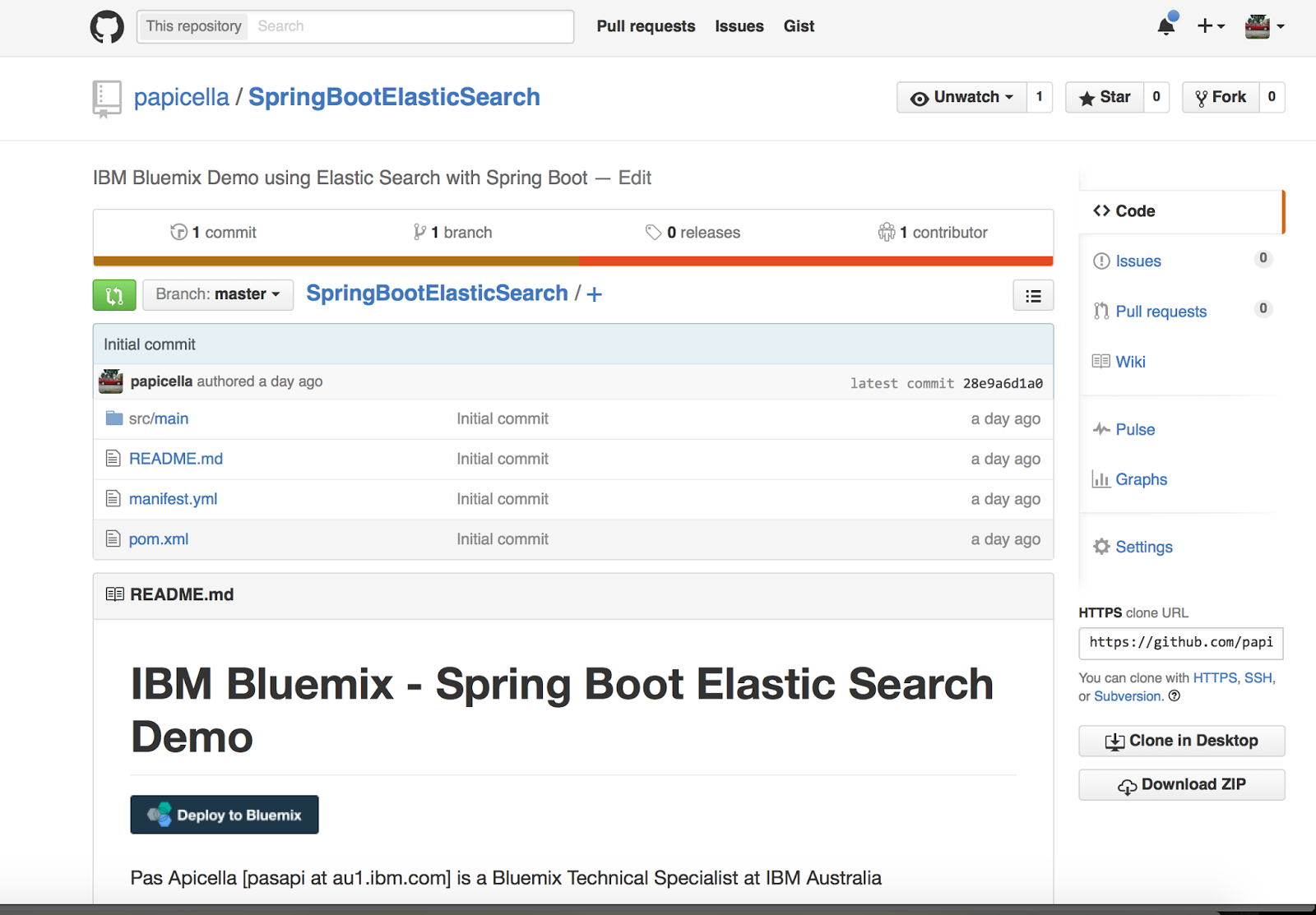
Like all Spring Data Repositories you can create an interface and be given basic CRUD operations to the Elastisearch DOCUMENT as shown below.
EmployeeRepository.java
package pas.au.ibm.bluemix.elastic;

import org.springframework.data.elasticsearch.repository.ElasticsearchRepository;

import java.util.List;

public interface EmployeeRepository extends ElasticsearchRepository<Employee, String>
{
    public List<Employee> findByFirstNameContaining(String firstName);
}
Employee.java
package pas.au.ibm.bluemix.elastic;

import org.springframework.data.annotation.Id;
import org.springframework.data.elasticsearch.annotations.Document;

@Document(indexName = "employee", type = "employee", shards = 1, replicas = 0, refreshInterval = "-1")
public class Employee
{
    @Id
    private String id;
    private String firstName;
    private String lastName;
    private String job;
    private int deptNo;

    public Employee()
    {
    }

....
If you don't have a IBM DevOps Jazzhub account the manifest.yml can be used if you clone the project, and compile it using maven with "mvn package". Be sure to alter the application name / host to be a unique name within Bluemix.
applications:
- name: pas-sb-elastic
memory: 450M
path: ./target/SpringBootElasticSearch-0.0.1-SNAPSHOT.jar
instances: 1
host: pas-sb-elastic
buildpack: java_buildpack
domain: mybluemix.net
Example Deployment
pasapicella@pas-macbook-pro:~/ibm/DemoProjects/spring-starter/jazzhub/SpringBootElasticSearch$ cf push
Using manifest file /Users/pasapicella/ibm/DemoProjects/spring-starter/jazzhub/SpringBootElasticSearch/manifest.yml
Creating app pas-sb-elastic in org pasapi@au1.ibm.com / space dev as pasapi@au1.ibm.com...
OK
Using route pas-sb-elastic.mybluemix.net
Binding pas-sb-elastic.mybluemix.net to pas-sb-elastic...
OK
Uploading pas-sb-elastic...
Uploading app files from: /Users/pasapicella/ibm/DemoProjects/spring-starter/jazzhub/SpringBootElasticSearch/target/SpringBootElasticSearch-0.0.1-SNAPSHOT.jar
Uploading 1M, 133 files
Done uploading
OK
Starting app pas-sb-elastic in org pasapi@au1.ibm.com / space dev as pasapi@au1.ibm.com...
-----> Downloaded app package (35M)
-----> Java Buildpack Version: v3.0 | https://github.com/cloudfoundry/java-buildpack.git#3bd15e1
-----> Downloading Open Jdk JRE 1.8.0_60 from https://download.run.pivotal.io/openjdk/trusty/x86_64/openjdk-1.8.0_60.tar.gz (2.7s)
Expanding Open Jdk JRE to .java-buildpack/open_jdk_jre (1.7s)
-----> Downloading Spring Auto Reconfiguration 1.10.0_RELEASE from https://download.run.pivotal.io/auto-reconfiguration/auto-reconfiguration-1.10.0_RELEASE.jar (0.9s)
-----> Uploading droplet (79M)
0 of 1 instances running, 1 starting
0 of 1 instances running, 1 starting
0 of 1 instances running, 1 starting
0 of 1 instances running, 1 starting
1 of 1 instances running
App started
OK
App pas-sb-elastic was started using this command `SERVER_PORT=$PORT $PWD/.java-buildpack/open_jdk_jre/bin/java -cp $PWD/.:$PWD/.java-buildpack/spring_auto_reconfiguration/spring_auto_reconfiguration-1.10.0_RELEASE.jar -Djava.io.tmpdir=$TMPDIR -XX:OnOutOfMemoryError=$PWD/.java-buildpack/open_jdk_jre/bin/killjava.sh -Xmx329386K -Xms329386K -XX:MaxMetaspaceSize=64M -XX:MetaspaceSize=64M -Xss975K org.springframework.boot.loader.JarLauncher`
Showing health and status for app pas-sb-elastic in org pasapi@au1.ibm.com / space dev as pasapi@au1.ibm.com...
OK
requested state: started
instances: 1/1
usage: 450M x 1 instances
urls: pas-sb-elastic.mybluemix.net
last uploaded: Sat Oct 10 10:20:52 UTC 2015
stack: cflinuxfs2
buildpack: java_buildpack
state since cpu memory disk details
#0 running 2015-10-10 09:22:42 PM 0.3% 425.1M of 450M 158.1M of 1G
The application is currently deployed and is accessible at the URL below.
http://pas-sb-elastic.mybluemix.net/


More Information
http://docs.spring.io/spring-data/elasticsearch/docs/current/reference/html/#elasticsearch.repositories
https://www.elastic.co/
Tuesday, 6 October 2015
IBM Bluemix - Specify only Liberty buildpack features you require
I am more often then not using spring boot applications on IBM Bluemix and most of what I need is packaged with the application from JPA or JDBC, drivers, Rest etc. Of course with IBM Bluemix we can specify which build pack we wish to use but by default for java applications LIberty is used.
When a stand-alone application is deployed, a default Liberty configuration is provided for the application. The default configuration enables the following Liberty features:
manifest.yml
applications:
- name: pas-speedtest
memory: 512M
instances: 1
path: ./demo-0.0.1-SNAPSHOT.jar
host: pas-speedtest
domain: mybluemix.net
env:
JBP_CONFIG_LIBERTY: "app_archive: {features: [jsp-2.3, websocket-1.1, servlet-3.1]}"
More Information
https://www.ng.bluemix.net/docs/starters/liberty/index.html#optionsforpushinglibertyapplications
When a stand-alone application is deployed, a default Liberty configuration is provided for the application. The default configuration enables the following Liberty features:
- beanValidation-1.1
- cdi-1.2
- ejbLite-3.2
- el-3.0
- jaxrs-2.0
- jdbc-4.1
- jndi-1.0
- jpa-2.1
- jsf-2.2
- jsonp-1.0
- jsp-2.3
- managedBeans-1.0
- servlet-3.1
- websocket-1.1
- icap:managementConnector-1.0
- appstate-1.0
manifest.yml
applications:
- name: pas-speedtest
memory: 512M
instances: 1
path: ./demo-0.0.1-SNAPSHOT.jar
host: pas-speedtest
domain: mybluemix.net
env:
JBP_CONFIG_LIBERTY: "app_archive: {features: [jsp-2.3, websocket-1.1, servlet-3.1]}"
More Information
https://www.ng.bluemix.net/docs/starters/liberty/index.html#optionsforpushinglibertyapplications
Thursday, 1 October 2015
IBM Bluemix - Triggerring backing service creation from "Deploy to Bluemix" button
I recently posted about the "Deploy to Bluemix" button which will automatically deploy an application into IBM Bluemix from a single click.
http://theblasfrompas.blogspot.com.au/2015/09/adding-deploy-to-bluemix-button-to-my.html
If the application requires backing services they can automatically be created using the"declared-services" tag as shown below. Declared services are a manifest extension, which creates or looks for the required or optional services that are expected to be set up before the app is deployed, such as a data cache service. You can find a list of the eligible Bluemix services, labels, and plans by using the CF Command Line Interface and running cf marketplace
manifest.yml
declared-services:
redis-session:
label: rediscloud
plan: 30mb
applications:
- name: pas-sbsessions
memory: 512M
instances: 2
path: ./target/SpringBootHTTPSession-0.0.1-SNAPSHOT.jar
host: pas-sbsessions
domain: mybluemix.net
buildpack: java_buildpack
services:
- redis-session
Note: Declared services is an IBM extension of the standard Cloud Foundry manifest format. This extension might be revised in a future release as the feature evolves and improves.
http://theblasfrompas.blogspot.com.au/2015/09/adding-deploy-to-bluemix-button-to-my.html
If the application requires backing services they can automatically be created using the"declared-services" tag as shown below. Declared services are a manifest extension, which creates or looks for the required or optional services that are expected to be set up before the app is deployed, such as a data cache service. You can find a list of the eligible Bluemix services, labels, and plans by using the CF Command Line Interface and running cf marketplace
manifest.yml
declared-services:
redis-session:
label: rediscloud
plan: 30mb
applications:
- name: pas-sbsessions
memory: 512M
instances: 2
path: ./target/SpringBootHTTPSession-0.0.1-SNAPSHOT.jar
host: pas-sbsessions
domain: mybluemix.net
buildpack: java_buildpack
services:
- redis-session
Note: Declared services is an IBM extension of the standard Cloud Foundry manifest format. This extension might be revised in a future release as the feature evolves and improves.
Tuesday, 15 September 2015
Adding the "Deploy to Bluemix" Button to my Bluemix Applications in GitHub
Not before time I finally added my first "Deploy to Bluemix" button on my GitHub projects for Bluemix applications. The screen shot below shows this for the Spring Session - Spring Boot Portable Cloud Ready HTTP Session demo.

Here is what it looks like when I do deploy this using the "Deploy to Bluemix" button and requires me to log in to IBM Bluemix. What happens when you use this button it adds the prohect code via FORK to your own DevOps projects , adds a pipeline to compile/deploy the code and finally deploys it as you Expect it to do.

More Information
https://developer.ibm.com/devops-services/2015/02/18/share-code-new-deploy-bluemix-button/

Here is what it looks like when I do deploy this using the "Deploy to Bluemix" button and requires me to log in to IBM Bluemix. What happens when you use this button it adds the prohect code via FORK to your own DevOps projects , adds a pipeline to compile/deploy the code and finally deploys it as you Expect it to do.

More Information
https://developer.ibm.com/devops-services/2015/02/18/share-code-new-deploy-bluemix-button/
Thursday, 10 September 2015
Spring Session - Spring Boot application for IBM Bluemix
The following guide shows how to use Spring Session to transparently leverage Redis to back a web application’s
http://docs.spring.io/spring-session/docs/current/reference/html5/guides/boot.html
The demo below is a simple Spring Boot / Thymeleaf/ Bootstrap application to test Session replication using Spring Session - Spring Boot within IBM Bluemix. Same demo will run on Pivotal Cloud Foundry as well.
IBM DevOps URL ->
https://hub.jazz.net/project/pasapples/SpringBootHTTPSession/overview
Sample Project on GitHub ->
https://github.com/papicella/SpringBootHTTPSession

More Information
The Portable, Cloud-Ready HTTP Session
https://spring.io/blog/2015/03/01/the-portable-cloud-ready-http-session
HttpSession when using Spring Boot.http://docs.spring.io/spring-session/docs/current/reference/html5/guides/boot.html
The demo below is a simple Spring Boot / Thymeleaf/ Bootstrap application to test Session replication using Spring Session - Spring Boot within IBM Bluemix. Same demo will run on Pivotal Cloud Foundry as well.
IBM DevOps URL ->
https://hub.jazz.net/project/pasapples/SpringBootHTTPSession/overview
Sample Project on GitHub ->
https://github.com/papicella/SpringBootHTTPSession

More Information
The Portable, Cloud-Ready HTTP Session
https://spring.io/blog/2015/03/01/the-portable-cloud-ready-http-session
Wednesday, 2 September 2015
Integrating Telstra Public WIFI API into Bluemix
I previously blogged about Integrating Telstra Public SMS Api as shown below.
http://theblasfrompas.blogspot.co.nz/2015/08/integrating-telstra-public-sms-api-into.html
Here I show how I integrated Telstra Public WIFI Api into IBM Bluemix. This Api from Telstra is documented as follows. You need to register on http://t.dev to get the credentials to use thier API which I have previously done which then enables me to integrate it onto Bluemix
https://dev.telstra.com/content/wifi-api
Once again here is the Api Within the Bluemix Catalog, these screen shots show the Api has been added to the Bluemix Catalog which can then be consumed as a service.


Finally here is a Web based application using Bootstrap so it renders quite well on mobile devices as well which allows you to enter your Latitidue, Longitude and Radius to find Telstra WIFI Hotspots using the Telstra WIFI Api on IBM Bluemix
http://pas-telstawifiapi.mybluemix.net/

More Information
Visit http://bluemix.net to get started
http://theblasfrompas.blogspot.co.nz/2015/08/integrating-telstra-public-sms-api-into.html
Here I show how I integrated Telstra Public WIFI Api into IBM Bluemix. This Api from Telstra is documented as follows. You need to register on http://t.dev to get the credentials to use thier API which I have previously done which then enables me to integrate it onto Bluemix
https://dev.telstra.com/content/wifi-api
Once again here is the Api Within the Bluemix Catalog, these screen shots show the Api has been added to the Bluemix Catalog which can then be consumed as a service.


Finally here is a Web based application using Bootstrap so it renders quite well on mobile devices as well which allows you to enter your Latitidue, Longitude and Radius to find Telstra WIFI Hotspots using the Telstra WIFI Api on IBM Bluemix
http://pas-telstawifiapi.mybluemix.net/

More Information
Visit http://bluemix.net to get started
Friday, 28 August 2015
Integrating Telstra Public SMS API into Bluemix
In the post below I will show how I integrated Telstra public SMS Api into my Bluemix catalog to be consumed as a service. This was all done from Public Bluemix using the Cloud Integration Service.
Step 1 - Create a T.DEV account
In order to get started you need to create an account on http://dev.telstra.com in order to be granted access to the SMS API. Once access is granted you need to create an application which enables you to add/manage Telstra API keys as shown below.
1.1 Create an account an http://dev.telstra.com
1.2. Once done you should have something as follows which can take up to 24 hours to get approved as shown by the "approved" icon

Step 2 - Test the SMS Telstra API
At this point we want to test the Telstra SMS API using a script, this ensures it's working before we proceed to Integrating it onto Bluemix.
2.1. Create a script called setup.sh as follows
2.2. Edit the script above to use your APP_KEY and APP_SECRET values from the Telstra Developer Portal
2.3. Run as shown below
2.4. Make a note of the token key returned, you will need this to send an SMS message
2.5. Create a script called "sendsms.sh" as shown below.
2.6. Replace the token key with what was returned at step 2.4 above
2.7. Replace the RECIPIENT_NUMBER with your own mobile number to test the SMS API.
2.8. Run as shown below.
Step 3 - Creating a REST based service to Call Telstra SMS API
At this point we can now Integrate the Telstra SMS API into Bluemix. To do that I created a simple Spring Boot Application which exposes a RESTful method to call Telstra SMS API using Spring's RestTemplate class. I do this as it's two calls you need to make to call the Telstra SMS API. A REST based call to get a ACCESS_TOKEN , then followed by a call to actually send an SMS message. Creating a Spring Boot application to achieve this allows me to wrap that into one single call making it easy to consume and add to the Bluemix Catalog as a Service.
More Information on The Cloud Integration service can be found here. Cloud Integration allows us to expose RESTful methods from Bluemix applications onto the catalog via one simple screen. We could alos use Bluemix API management service as well.
https://www.ng.bluemix.net/docs/services/CloudIntegration/index.html
Below shows the application being pushed into Bluemix which will then be used to add Telstra SMS API service into the Bluemix catalog.
Step 4 - Add the RESTful method to IBM Bluemix catalog to invoke the Telstra SMS API
4.1 To expose our RESTful method we simply define the end point using the Cloud Integration service as shown below.
The image showing the Cloud Integration service with the Telstra API exposed and available to be consumed as a Service on Bluemix.


This was created using the Bluemix Dashboard but can also be done using the Cloud Foundry command line "cf create-service ..."
Step 5 - Create a Application client which will invoke the Telstra SMS service
At this point we are going to push a client application onto Bluemix which consumes the Telstra SMS API service and then uses it within the application. WE do this to verify the service works creating a simple HTML based application which invokes the service which has a manifest.yml file indicating it wants to consume the service which is now exposed on the catalog within Bluemix as per above.
5.1. The manifest.yml consumes the service created from the API in the catalog
5.2. Push the application as shown below.
6.1. Navigate to the URL below and send an SMS using the form below.
http://pas-telstrasmsapi-client.mybluemix.net/

6.2. Verify it has sent a message to the phone number entered in the text field as shown below.

More Information
Getting started with Bluemix is easy, navigate to http://bluemix.net to sign up and get going.
Step 1 - Create a T.DEV account
In order to get started you need to create an account on http://dev.telstra.com in order to be granted access to the SMS API. Once access is granted you need to create an application which enables you to add/manage Telstra API keys as shown below.
1.1 Create an account an http://dev.telstra.com
1.2. Once done you should have something as follows which can take up to 24 hours to get approved as shown by the "approved" icon

Step 2 - Test the SMS Telstra API
At this point we want to test the Telstra SMS API using a script, this ensures it's working before we proceed to Integrating it onto Bluemix.
2.1. Create a script called setup.sh as follows
APP_KEY="yyyy-key" APP_SECRET="yyyy-secret" curl "https://api.telstra.com/v1/oauth/token?client_id=$APP_KEY&client_secret=$APP_SECRET&grant_type=client_credentials&scope=SMS" |
2.2. Edit the script above to use your APP_KEY and APP_SECRET values from the Telstra Developer Portal
2.3. Run as shown below
| pas@Pass-MBP:~/ibm/customers/telstra/telstra-apis/test$
./setup.sh { "access_token": "xadMkPqSAE0VG6pSGEi6rHA5vqYi", "expires_in": "3599" } |
2.4. Make a note of the token key returned, you will need this to send an SMS message
2.5. Create a script called "sendsms.sh" as shown below.
# * Authorization header value should be in the format of "Bearer xxx" where xxx is access token returned # from a previous GET https://api.telstra.com/v1/oauth/token request. RECIPIENT_NUMBER=0411151350 TOKEN=token-key curl -H "Content-Type: application/json" \ -H "Authorization: Bearer $TOKEN" \ -d "{\"to\":\"$RECIPIENT_NUMBER\", \"body\":\"Hello, pas sent this message from telstra SMS api!\"}" \ "https://api.telstra.com/v1/sms/messages" |
2.6. Replace the token key with what was returned at step 2.4 above
2.7. Replace the RECIPIENT_NUMBER with your own mobile number to test the SMS API.
2.8. Run as shown below.
{"messageId":"1370CAB677B59C226705337B95945CD6"} |
Step 3 - Creating a REST based service to Call Telstra SMS API
At this point we can now Integrate the Telstra SMS API into Bluemix. To do that I created a simple Spring Boot Application which exposes a RESTful method to call Telstra SMS API using Spring's RestTemplate class. I do this as it's two calls you need to make to call the Telstra SMS API. A REST based call to get a ACCESS_TOKEN , then followed by a call to actually send an SMS message. Creating a Spring Boot application to achieve this allows me to wrap that into one single call making it easy to consume and add to the Bluemix Catalog as a Service.
More Information on The Cloud Integration service can be found here. Cloud Integration allows us to expose RESTful methods from Bluemix applications onto the catalog via one simple screen. We could alos use Bluemix API management service as well.
https://www.ng.bluemix.net/docs/services/CloudIntegration/index.html
Below shows the application being pushed into Bluemix which will then be used to add Telstra SMS API service into the Bluemix catalog.
Using manifest file /Users/pas/ibm/DemoProjects/spring-starter/jazzhub/TelstraSMSAPIDemo/manifest.yml Creating app pas-telstrasmsapi in org pasapi@au1.ibm.com / space apple as pasapi@au1.ibm.com... OK Using route pas-telstrasmsapi.mybluemix.net Binding pas-telstrasmsapi.mybluemix.net to pas-telstrasmsapi... OK Uploading pas-telstrasmsapi... Uploading app files from: /Users/pas/ibm/DemoProjects/spring-starter/jazzhub/TelstraSMSAPIDemo/target/TelstraSMSAPI-1.0-SNAPSHOT.jar Uploading 752.3K, 98 files Done uploading OK Starting app pas-telstrasmsapi in org pasapi@au1.ibm.com / space apple as pasapi@au1.ibm.com... -----> Downloaded app package (15M) -----> Liberty Buildpack Version: v1.19.1-20150622-1509 -----> Retrieving IBM 1.8.0_20150617 JRE (ibm-java-jre-8.0-1.0-pxa6480sr1ifx-20150617_03-cloud.tgz) ... (0.0s) Expanding JRE to .java ... (1.4s) -----> Retrieving App Management 1.5.0_20150608-1243 (app-mgmt_v1.5-20150608-1243.zip) ... (0.0s) Expanding App Management to .app-management (0.9s) -----> Downloading Auto Reconfiguration 1.7.0_RELEASE from https://download.run.pivotal.io/auto-reconfiguration/auto-reconfiguration-1.7.0_RELEASE.jar (0.1s) -----> Liberty buildpack is done creating the droplet -----> Uploading droplet (90M) 0 of 1 instances running, 1 starting 0 of 1 instances running, 1 starting 0 of 1 instances running, 1 starting 0 of 1 instances running, 1 starting 1 of 1 instances running App started OK App pas-telstrasmsapi was started using this command `$PWD/.java/jre/bin/java -Xtune:virtualized -Xmx384M -Xdump:none -Xdump:heap:defaults:file=./../dumps/heapdump.%Y%m%d.%H%M%S.%pid.%seq.phd -Xdump:java:defaults:file=./../dumps/javacore.%Y%m%d.%H%M%S.%pid.%seq.txt -Xdump:snap:defaults:file=./../dumps/Snap.%Y%m%d.%H%M%S.%pid.%seq.trc -Xdump:heap+java+snap:events=user -Xdump:tool:events=systhrow,filter=java/lang/OutOfMemoryError,request=serial+exclusive,exec=./.buildpack-diagnostics/killjava.sh $JVM_ARGS org.springframework.boot.loader.JarLauncher --server.port=$PORT` Showing health and status for app pas-telstrasmsapi in org pasapi@au1.ibm.com / space apple as pasapi@au1.ibm.com... OK requested state: started instances: 1/1 usage: 512M x 1 instances urls: pas-telstrasmsapi.mybluemix.net last uploaded: Fri Jul 17 11:26:58 UTC 2015 state since cpu memory disk details #0 running 2015-07-17 09:28:28 PM 1.0% 150.6M of 512M 148.9M of 1G |
Step 4 - Add the RESTful method to IBM Bluemix catalog to invoke the Telstra SMS API
4.1 To expose our RESTful method we simply define the end point using the Cloud Integration service as shown below.

The image showing the Cloud Integration service with the Telstra API exposed and available to be consumed as a Service on Bluemix.


This was created using the Bluemix Dashboard but can also be done using the Cloud Foundry command line "cf create-service ..."
Step 5 - Create a Application client which will invoke the Telstra SMS service
At this point we are going to push a client application onto Bluemix which consumes the Telstra SMS API service and then uses it within the application. WE do this to verify the service works creating a simple HTML based application which invokes the service which has a manifest.yml file indicating it wants to consume the service which is now exposed on the catalog within Bluemix as per above.
5.1. The manifest.yml consumes the service created from the API in the catalog
- name: pas-telstrasmsapi-client memory: 512M instances: 1 host: pas-telstrasmsapi-client domain: mybluemix.net path: ./target/TelstraSMSApiClient-0.0.1-SNAPSHOT.jar env: JBP_CONFIG_IBMJDK: "version: 1.8.+" services: - TelstraSMS-service |
5.2. Push the application as shown below.
Using manifest file /Users/pas/ibm/DemoProjects/spring-starter/jazzhub/TelstraSMSApiClient/manifest.yml Updating app pas-telstrasmsapi-client in org pasapi@au1.ibm.com / space apple as pasapi@au1.ibm.com... OK Using route pas-telstrasmsapi-client.mybluemix.net Uploading pas-telstrasmsapi-client... Uploading app files from: /Users/pas/ibm/DemoProjects/spring-starter/jazzhub/TelstraSMSApiClient/target/TelstraSMSApiClient-0.0.1-SNAPSHOT.jar Uploading 806.8K, 121 files Done uploading OK Binding service TelstraSMS-service to app pas-telstrasmsapi-client in org pasapi@au1.ibm.com / space apple as pasapi@au1.ibm.com... OK Stopping app pas-telstrasmsapi-client in org pasapi@au1.ibm.com / space apple as pasapi@au1.ibm.com... OK Starting app pas-telstrasmsapi-client in org pasapi@au1.ibm.com / space apple as pasapi@au1.ibm.com... -----> Downloaded app package (16M) -----> Downloaded app buildpack cache (1.2M) -----> Liberty Buildpack Version: v1.19.1-20150622-1509 -----> Retrieving IBM 1.8.0_20150617 JRE (ibm-java-jre-8.0-1.0-pxa6480sr1ifx-20150617_03-cloud.tgz) ... (0.0s) Expanding JRE to .java ... (1.5s) -----> Retrieving App Management 1.5.0_20150608-1243 (app-mgmt_v1.5-20150608-1243.zip) ... (0.0s) Expanding App Management to .app-management (0.9s) -----> Downloading Auto Reconfiguration 1.7.0_RELEASE from https://download.run.pivotal.io/auto-reconfiguration/auto-reconfiguration-1.7.0_RELEASE.jar (0.0s) -----> Liberty buildpack is done creating the droplet -----> Uploading droplet (90M) 0 of 1 instances running, 1 starting 0 of 1 instances running, 1 starting 0 of 1 instances running, 1 starting 1 of 1 instances running App started OK App pas-telstrasmsapi-client was started using this command `$PWD/.java/jre/bin/java -Xtune:virtualized -Xmx384M -Xdump:none -Xdump:heap:defaults:file=./../dumps/heapdump.%Y%m%d.%H%M%S.%pid.%seq.phd -Xdump:java:defaults:file=./../dumps/javacore.%Y%m%d.%H%M%S.%pid.%seq.txt -Xdump:snap:defaults:file=./../dumps/Snap.%Y%m%d.%H%M%S.%pid.%seq.trc -Xdump:heap+java+snap:events=user -Xdump:tool:events=systhrow,filter=java/lang/OutOfMemoryError,request=serial+exclusive,exec=./.buildpack-diagnostics/killjava.sh $JVM_ARGS org.springframework.boot.loader.JarLauncher --server.port=$PORT` Showing health and status for app pas-telstrasmsapi-client in org pasapi@au1.ibm.com / space apple as pasapi@au1.ibm.com... OK requested state: started instances: 1/1 usage: 512M x 1 instances urls: pas-telstrasmsapi-client.mybluemix.net last uploaded: Sun Jul 19 15:22:26 UTC 2015 state since cpu memory disk details #0 running 2015-07-19 11:23:57 PM 0.8% 144.9M of 512M 149.8M of 1G |
Step 6 - Send SMS using Telstra SMS Api from Bluemix Application using the Service
6.1. Navigate to the URL below and send an SMS using the form below.
http://pas-telstrasmsapi-client.mybluemix.net/

6.2. Verify it has sent a message to the phone number entered in the text field as shown below.

More Information
Getting started with Bluemix is easy, navigate to http://bluemix.net to sign up and get going.
Saturday, 15 August 2015
IntelliJ IDEA 14.1.4 adds Spring Initializr
Just upgraded to to Intellij IDEA 14.1.4 and found that the Spring Initializr web page for quickly creating spring boot applications has been added to the New Project dialog. The web site I normally drive new spring boot applications from as follows, is now part of IntelliJ IDEA which is great.
http://start.spring.io/
Some screen shots of this.


http://start.spring.io/
Some screen shots of this.


Monday, 10 August 2015
IBM Bluemix Garage New Website
If you keen to know more about the IBM Bluemix garage which is also coming to melbourne shortly this URL is the main page for that. Some good videos here detailing what the Garage stands for.
https://www.ibm.com/cloud-computing/bluemix/garage/
https://www.ibm.com/cloud-computing/bluemix/garage/
Tuesday, 4 August 2015
Using a Tomcat provided buildpack in Bluemix
By default if you push a java application into public Bluemix you will use the Liberty java buildpack. If you want to use tomcat you can do that as follows.
1. Show the buildpacks available as follows
> cf buildpacks
2. The buildpack which uses Tomcat is as follows
java_buildpack
3. Specify you would like to use the buildpack as shown below when using
cf push pas-props -d mybluemix.net -i 1 -m 256M -b java_buildpack -p props.war
Example:
pas@Pass-MacBook-Pro-2:~/bluemix-apps/simple-java$ cf push pas-props -d mybluemix.net -i 1 -m 256M -b java_buildpack -p props.war
Creating app pas-props in org pasapi@au1.ibm.com / space dev as pasapi@au1.ibm.com...
OK
Creating route pas-props.mybluemix.net...
OK
Binding pas-props.mybluemix.net to pas-props...
OK
Uploading pas-props...
Uploading app files from: props.war
Uploading 2.9K, 6 files
Done uploading
OK
Starting app pas-props in org pasapi@au1.ibm.com / space dev as pasapi@au1.ibm.com...
-----> Downloaded app package (4.0K)
-----> Java Buildpack Version: v3.0 | https://github.com/cloudfoundry/java-buildpack.git#3bd15e1
-----> Downloading Open Jdk JRE 1.8.0_51 from https://download.run.pivotal.io/openjdk/lucid/x86_64/openjdk-1.8.0_51.tar.gz (11.6s)
Expanding Open Jdk JRE to .java-buildpack/open_jdk_jre (1.2s)
-----> Downloading Tomcat Instance 8.0.24 from https://download.run.pivotal.io/tomcat/tomcat-8.0.24.tar.gz (2.4s)
Expanding Tomcat to .java-buildpack/tomcat (0.1s)
-----> Downloading Tomcat Lifecycle Support 2.4.0_RELEASE from https://download.run.pivotal.io/tomcat-lifecycle-support/tomcat-lifecycle-support-2.4.0_RELEASE.jar (0.1s)
-----> Downloading Tomcat Logging Support 2.4.0_RELEASE from https://download.run.pivotal.io/tomcat-logging-support/tomcat-logging-support-2.4.0_RELEASE.jar (0.4s)
-----> Downloading Tomcat Access Logging Support 2.4.0_RELEASE from https://download.run.pivotal.io/tomcat-access-logging-support/tomcat-access-logging-support-2.4.0_RELEASE.jar (0.4s)
-----> Uploading droplet (50M)
0 of 1 instances running, 1 starting
1 of 1 instances running
App started
OK
App pas-props was started using this command `JAVA_HOME=$PWD/.java-buildpack/open_jdk_jre JAVA_OPTS="-Djava.io.tmpdir=$TMPDIR -XX:OnOutOfMemoryError=$PWD/.java-buildpack/open_jdk_jre/bin/killjava.sh -Xmx160M -Xms160M -XX:MaxMetaspaceSize=64M -XX:MetaspaceSize=64M -Xss853K -Daccess.logging.enabled=false -Dhttp.port=$PORT" $PWD/.java-buildpack/tomcat/bin/catalina.sh run`
Showing health and status for app pas-props in org pasapi@au1.ibm.com / space dev as pasapi@au1.ibm.com...
OK
requested state: started
instances: 1/1
usage: 256M x 1 instances
urls: pas-props.mybluemix.net
last uploaded: Mon Aug 3 21:40:36 UTC 2015
state since cpu memory disk details
#0 running 2015-08-03 02:41:47 PM 0.0% 136.7M of 256M 125.7M of 1G
1. Show the buildpacks available as follows
> cf buildpacks
2. The buildpack which uses Tomcat is as follows
java_buildpack
3. Specify you would like to use the buildpack as shown below when using
cf push pas-props -d mybluemix.net -i 1 -m 256M -b java_buildpack -p props.war
Example:
pas@Pass-MacBook-Pro-2:~/bluemix-apps/simple-java$ cf push pas-props -d mybluemix.net -i 1 -m 256M -b java_buildpack -p props.war
Creating app pas-props in org pasapi@au1.ibm.com / space dev as pasapi@au1.ibm.com...
OK
Creating route pas-props.mybluemix.net...
OK
Binding pas-props.mybluemix.net to pas-props...
OK
Uploading pas-props...
Uploading app files from: props.war
Uploading 2.9K, 6 files
Done uploading
OK
Starting app pas-props in org pasapi@au1.ibm.com / space dev as pasapi@au1.ibm.com...
-----> Downloaded app package (4.0K)
-----> Java Buildpack Version: v3.0 | https://github.com/cloudfoundry/java-buildpack.git#3bd15e1
-----> Downloading Open Jdk JRE 1.8.0_51 from https://download.run.pivotal.io/openjdk/lucid/x86_64/openjdk-1.8.0_51.tar.gz (11.6s)
Expanding Open Jdk JRE to .java-buildpack/open_jdk_jre (1.2s)
-----> Downloading Tomcat Instance 8.0.24 from https://download.run.pivotal.io/tomcat/tomcat-8.0.24.tar.gz (2.4s)
Expanding Tomcat to .java-buildpack/tomcat (0.1s)
-----> Downloading Tomcat Lifecycle Support 2.4.0_RELEASE from https://download.run.pivotal.io/tomcat-lifecycle-support/tomcat-lifecycle-support-2.4.0_RELEASE.jar (0.1s)
-----> Downloading Tomcat Logging Support 2.4.0_RELEASE from https://download.run.pivotal.io/tomcat-logging-support/tomcat-logging-support-2.4.0_RELEASE.jar (0.4s)
-----> Downloading Tomcat Access Logging Support 2.4.0_RELEASE from https://download.run.pivotal.io/tomcat-access-logging-support/tomcat-access-logging-support-2.4.0_RELEASE.jar (0.4s)
-----> Uploading droplet (50M)
0 of 1 instances running, 1 starting
1 of 1 instances running
App started
OK
App pas-props was started using this command `JAVA_HOME=$PWD/.java-buildpack/open_jdk_jre JAVA_OPTS="-Djava.io.tmpdir=$TMPDIR -XX:OnOutOfMemoryError=$PWD/.java-buildpack/open_jdk_jre/bin/killjava.sh -Xmx160M -Xms160M -XX:MaxMetaspaceSize=64M -XX:MetaspaceSize=64M -Xss853K -Daccess.logging.enabled=false -Dhttp.port=$PORT" $PWD/.java-buildpack/tomcat/bin/catalina.sh run`
Showing health and status for app pas-props in org pasapi@au1.ibm.com / space dev as pasapi@au1.ibm.com...
OK
requested state: started
instances: 1/1
usage: 256M x 1 instances
urls: pas-props.mybluemix.net
last uploaded: Mon Aug 3 21:40:36 UTC 2015
state since cpu memory disk details
#0 running 2015-08-03 02:41:47 PM 0.0% 136.7M of 256M 125.7M of 1G
Friday, 17 July 2015
Using JRE 1.8 for the Liberty Buildpack in Bluemix
The latest Liberty biuldpack update now adds the ability to switch to JRE 1.8 runtime. Given I am now switching to JDK 1.8 for all my projects this has come in very handy, and of course Spring Boot favors JDK 1.8 as well. The default is still JRE 1.7 so to switch to 1.8 set an ENV variable as follows in your manifest.yml as shown below.
manifest.yml
applications:
- name: pas-myapp
memory: 512M
instances: 1
host: pas-myapp
domain: mybluemix.net
path: ./target/myapp-1.0-SNAPSHOT.jar
env:
JBP_CONFIG_IBMJDK: "version: 1.8.+"
More Information
https://developer.ibm.com/bluemix/2015/05/05/liberty-buildpack-updates-java-8-java-ee-7-updates/
manifest.yml
applications:
- name: pas-myapp
memory: 512M
instances: 1
host: pas-myapp
domain: mybluemix.net
path: ./target/myapp-1.0-SNAPSHOT.jar
env:
JBP_CONFIG_IBMJDK: "version: 1.8.+"
More Information
https://developer.ibm.com/bluemix/2015/05/05/liberty-buildpack-updates-java-8-java-ee-7-updates/
Subscribe to:
Posts (Atom)